


Toonapp: Cartoon Photo Editor
4.512.71K Reviews
App Specs
- Version
- 3.4.1
- Updated On
- License
- Free
- Downloads
- 100,000,000+
- Developer
- Lyrebird Studio
- Categories
- Photography
- Platform
- Android, iOS
Screenshots
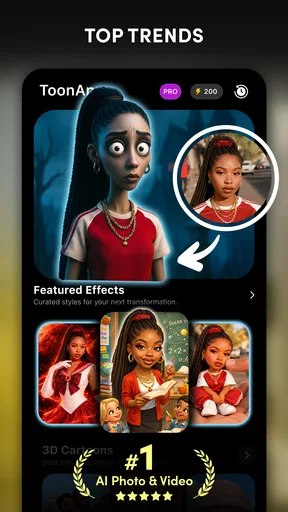
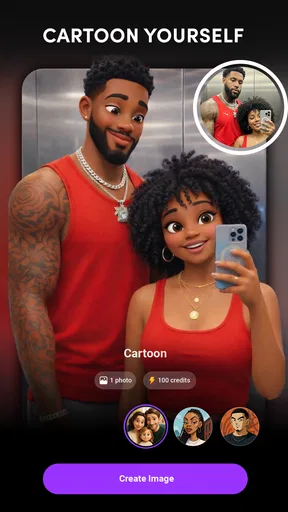
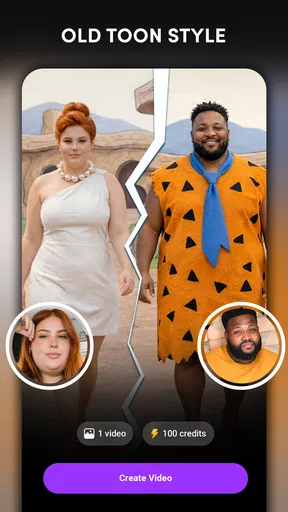
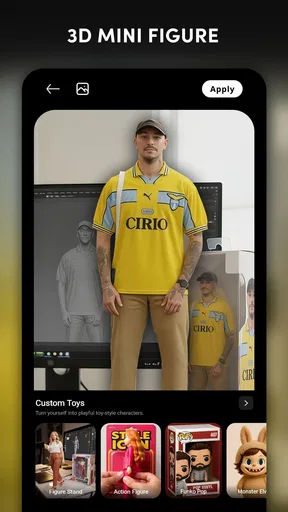
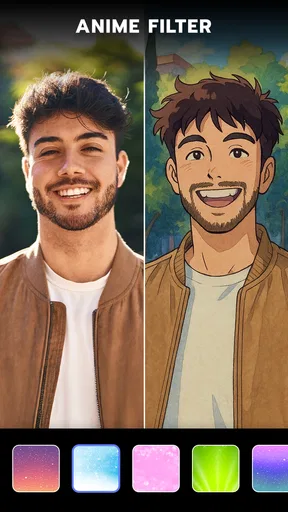
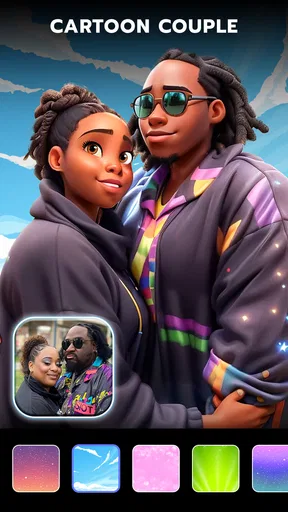
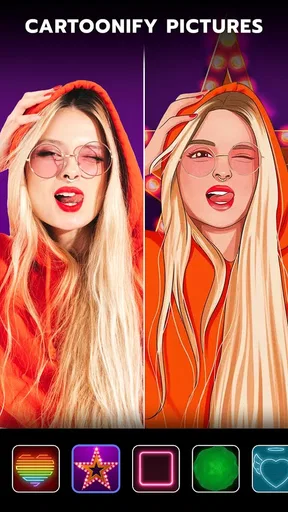
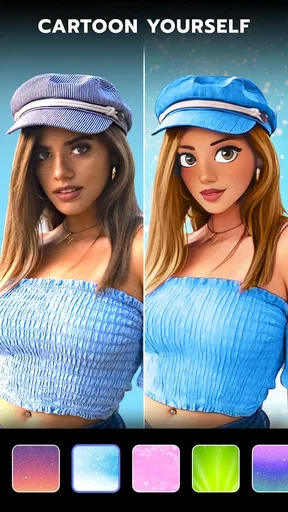
 Analysis by AppCompare
If you’re opening a cartoon photo editor for the first time, the best way to judge it is to start with one ordinary portrait and see whether the result feels like something you would actually share. ToonApp: Cartoon Photo Editor is built around that quick transformation: choose a picture, try a stylized treatment, and decide whether the new version suits the moment. I see its appeal less as a replacement for a full photo-editing suite and more as a playful shortcut when a regular selfie needs a change of mood.
That distinction matters. A cartoon effect can be a fun profile-picture experiment, a small surprise for a friend, or a visual break from the same photos you usually post. It is not automatically the right tool when you need precise retouching, a faithful portrait, or a carefully designed graphic. Going in with a simple goal makes the first session more enjoyable and helps you tell quickly whether the style is right for you.
What to expect from a quick portrait edit
ToonApp is a free photography app from Lyrebird Studio, with optional in-app purchases priced from $2.00 to $69.99 per item. It has a 4.6 average from around 2.5 million ratings, and more than 100 million installs. Those figures suggest that cartoon-style portrait editing has broad appeal, but they do not mean every filter will suit every face or every taste. I would treat the first result as a starting point, not a promise that one tap will produce a finished image.
The app is rated for Everyone, and its current version is 3.1.58, with Android 7.0 or later listed as the minimum operating-system requirement. It was released on December 22, 2020. If you are deciding whether to try it, the important practical point is that the basic idea is approachable: bring in a photo, explore the available looks, and keep the result you like. Before spending on anything, I’d first see whether the free experience gives you a style you genuinely want to use.
Choosing a photo that gives the effect a fair chance
Your source image has a lot to do with whether a cartoon conversion looks appealing. For a first attempt, I’d pick a sharp portrait with the face easy to see, even lighting, and little visual clutter around the person. A heavily shadowed selfie, a face partly covered by hair, or a busy group picture can leave the transformation with less clear detail to work from. That is not a reason to avoid experimenting; it is a useful way to avoid blaming the app for a difficult starting photo.
A practical first workflow is to make two versions from the same image rather than changing both the photo and the effect at once. If one looks too intense, try a different style while keeping the original portrait fixed. That makes comparison easier and helps you identify whether the result is driven by the filter or by the image itself. I would also keep the unedited photo: a stylized version is best treated as a new creative option, not as a replacement for the original.
Getting Started with ToonApp
Downloading ToonApp is a breeze. It’s available on both Android and iOS, so no matter what device you’re rocking, you’re covered. Once you’ve installed it, the interface is super user-friendly. I mean, even my tech-challenged uncle could figure it out without a hitch. The app greets you with a simple layout that lets you dive straight into the action.
Worth Reading Before You Choose

Flipboard Shows What News Apps Must Do Beyond the Feed

Switching to Android Auto Means Rethinking Your Driving Routine

Google Calendar Makes a Crowded Week Easier to Manage

Ludo King Makes the Most of the Minutes Between Plans

Baby Panda World Brings Quick Play to Modern Phones, but Its Game Library Feels Busy

ESPN’s Live Game View Makes Following Close Games Easier
Features That Stand Out
The magic really happens with the range of features packed into this little powerhouse. The first time I used it, I was blown away by how quickly it transformed my regular photo into a cartoon masterpiece. You simply upload a photo from your gallery or snap a new one using the app’s camera feature. Then, just like that, the app works its magic.
- Cartoon Filters: These are the heart of the app. You can choose from a variety of styles, from classic comic book vibes to more modern, artistic interpretations. There’s something for everyone, whether you’re into bold outlines or soft watercolor effects.
- Backgrounds: Want to add a bit more pizzazz to your cartoon self? The background option lets you swap out the mundane for something more exotic. Whether it’s a bustling cityscape or a serene countryside, the app has you covered.
- Editing Tools: ToonApp doesn’t just stop at cartoonizing. You can tweak your images with a range of editing tools. Adjust brightness, contrast, and saturation to get your cartoon looking just right.
Getting the first result you want to keep
For a reassuring first session, I would not begin by testing every option. Choose one clear portrait, try a style that feels close to the mood you want, and look at the face before judging the background. If the portrait feels too strong or too flat, make a small adjustment to brightness, contrast, or saturation rather than starting over immediately. Small changes can make a stylized image feel more balanced, especially when the source photo has uneven light.
There is also a useful distinction between a result that looks amusing on a phone and one that works as a profile picture. At a small size, bold shapes and a clean face tend to read quickly; fine detail matters less. If you intend to share the image as a profile photo, check it at the size people are likely to see it, not only zoomed in on your screen. For a greeting or a playful post, a more dramatic treatment may be exactly what makes the picture fun.
A Smooth Experience
One of my favorite things about ToonApp is how seamless the whole process is. The app runs smoothly, with minimal lag, even on older devices. The transformation is quick, and you’re not left waiting around forever for your cartoon persona to appear. Plus, the app doesn’t bombard you with ads, which is a huge plus in my book.
Sharing your creations is also a breeze. With a couple of taps, you can send your cartoon images straight to your social media accounts. Your friends will be asking how you did it in no time!
Where the simple workflow can feel limiting
The quick-edit approach is convenient, but it also means ToonApp is not the tool I would reach for when I want detailed control over every part of a portrait. A cartoon treatment changes the character of the photo, so it may soften or exaggerate features in ways you would not choose manually. If you need exact skin retouching, precise cutouts, layered design work, or a consistent look across a professional set of images, a more comprehensive editor is a better fit.
It is worth keeping expectations realistic about backgrounds, too. A replacement can add personality, but it may not suit every portrait or every edge around hair and clothing. When the separation between subject and background looks distracting, a simpler source image or an unaltered background may produce a more convincing result. I would choose the version that looks coherent at a glance rather than stacking extra changes just because they are available.
A Smooth Experience
One of my favorite things about ToonApp is how seamless the whole process is. The app runs smoothly, with minimal lag, even on older devices. The transformation is quick, and you’re not left waiting around forever for your cartoon persona to appear. Plus, the app doesn’t bombard you with ads, which is a huge plus in my book.
Sharing your creations is also a breeze. With a couple of taps, you can send your cartoon images straight to your social media accounts. Your friends will be asking how you did it in no time!
Everyday uses beyond a quick selfie
One realistic use is making a lighthearted image for a birthday message or a group chat. You could take a well-lit portrait, choose a look that keeps the person recognizable, and send the edited picture along with a short note. That works best when the goal is a bit of personality rather than a polished illustration. If you are making something for someone else, I’d ask before sharing their face publicly; a private joke and a public post are different choices.
It can also help when you want a temporary profile image that feels less formal than a standard headshot. For that, a clear crop and a style that keeps the face readable are more useful than an elaborate background. On the other hand, if you need a photo that communicates your real appearance for work, an application, or a business page, I would stick with a natural portrait. The cartoon version is expressive, but it is not a substitute for a straightforward photo in contexts where recognition and accuracy matter.
Compared with a traditional photo editor, ToonApp puts the playful transformation first rather than offering a broad set of precise adjustments as the main event. Compared with drawing an avatar from scratch, it gives you a faster route from a real portrait to an illustrated-looking image, though the result remains tied to the photo you choose. That makes it handy for spontaneous sharing, while a dedicated illustration or design tool is more suitable when you need a specific composition, controlled line work, or a repeatable visual identity.
Keeping It Fresh
ToonApp keeps things interesting with regular updates. New filters and features are added frequently, so you’re always getting something new to play with. It feels like opening a new gift every time there’s an update.
Making sense of choices and purchases
If you are unsure whether to pay for an item, I would first test the free options against the kind of image you actually plan to use. A filter that looks impressive on a sample portrait may not be the one you like on your own photo, so try a few looks before deciding that you need more. Optional purchases range from $2.00 to $69.99 per item, which makes checking the specific price shown for an item important before confirming anything. There is no need to buy simply to find out whether cartoon editing suits you.
Another common point of confusion is assuming that every style will work equally well on every picture. A close-up with an unobstructed face can produce a different impression from a full-body shot or a photo with several people. If the first attempt feels off, change one thing at a time: use a clearer photo, try another style, or adjust the image. That simple process is more informative than repeatedly applying effects to the same difficult picture.
Why You’ll Love It
In a world where everyone is looking for new ways to express themselves, ToonApp offers a fun and creative outlet. It’s perfect for those who love a touch of whimsy in their lives. Whether you’re sharing with friends or just keeping them for yourself, the cartoons you create with ToonApp are bound to bring a smile to your face.
Who will get the most from it
I’d recommend ToonApp to someone who wants a low-effort way to make selfies feel more playful, especially if they enjoy trying different visual styles and sharing casual edits. It is also a reasonable choice for a first-time user who wants to see a result quickly without learning a complicated editing workflow. Its appeal is immediate: you can experiment with a portrait and decide whether the look fits your personality or the occasion.
I would steer away from it if your priority is natural-looking portrait correction, detailed manual control, or a consistent professional finish. It may also frustrate anyone who expects every image to convert beautifully without choosing a suitable source photo. A standard editor is better for subtle cleanup and careful color work; a design tool is better for building a composed graphic; ToonApp makes more sense when the cartoon transformation itself is the point.
So, if you’re ready to see yourself in a whole new light, give ToonApp a try. You might just find your new favorite app for those idle moments when you want to unleash your inner artist.
Overall, ToonApp: Cartoon Photo Editor is more than just a photo editing app; it’s a doorway into a world of creativity and fun. Go ahead, dive in, and unleash your cartoon alter ego. You won’t regret it!
Pros
- Intuitive interface for easy use.
- Variety of cartoon styles available.
- Quick processing of photos.
- High-quality cartoon outputs.
- Regular updates with new features.
Cons
- Limited editing options for fine-tuning.
- Some features require in-app purchases.
- Occasional ads can be intrusive.
- Requires stable internet for best use.
- May struggle with complex backgrounds.
FAQs for Toonapp: Cartoon Photo Editor
What is ToonApp: Cartoon Photo Editor and how does it work?
ToonApp: Cartoon Photo Editor is a mobile application that transforms your photos into cartoon-style images. It uses advanced AI algorithms to apply various artistic effects, allowing users to create unique cartoon portraits. The app is user-friendly, requiring only a few taps to achieve professional-looking results. Simply upload a photo and choose from a variety of filters and styles to create your cartoon masterpiece.
Is ToonApp free to use, or are there any in-app purchases?
ToonApp offers a free version with basic features available to all users. However, to access premium filters and advanced editing tools, users can opt for in-app purchases. These purchases enhance the app’s functionality and provide a wider range of creative options. A subscription model is also available for those who prefer unlocking all features at once.
What are the main features that ToonApp provides?
ToonApp offers a variety of features including multiple cartoon effects, artistic filters, and background options. Users can also adjust the intensity of effects, allowing for customized results. The app supports high-resolution exports, making it perfect for sharing on social media. Additionally, ToonApp includes a batch processing feature to edit multiple photos simultaneously, increasing efficiency for users.
Is ToonApp safe to download and use on my device?
Yes, ToonApp is safe to download from reputable sources like the App Store and Google Play Store. It adheres to standard security protocols, ensuring that your data and personal information remain protected. Always ensure your application is up-to-date to benefit from the latest security patches and features provided by the developers.
Can ToonApp be used offline, or does it require an internet connection?
ToonApp primarily requires an internet connection to download filters and effects, as well as to process images using cloud-based AI technology. However, once these elements are downloaded, some basic editing features can be used offline. For the full range of functionalities, including updates and sharing features, an internet connection is recommended.


